 This tutorial was written by me, on Jan. 20th, 2010. This is my own creation Using kit Laissez Les Bon Temps Rouler by Randy's Sin. Please do not copy this tutorial in anyway.
•
Supplies Needed:
♦PSP
♦Eye Candy 5: Gradient Glow
♦FTU Template 2 by Babe's Designz
HERE♦FTU Scrap kit Called Lasissez Les Bon Temps Rouler @ Scraps by Randy's Sin
HERE♦Tube by Rhys McDonald (I will provide, please use copyright info)
HERE•
Notes:
This tutorial assumes you have, a working knowledge of PSP.
•
Lesson:
~Duplicate Temp, Delete Copyright.
~Large Circle, Selections>Select All>Float>Defloat.
~Copy Paper10, Paste, Resize 70%. Selections>Invert, delete, Ctrl + D.
~Add Gradient Glow with Following Settings.
~Delete Large Circle.


~On Doodle, do the same as above, But don't add the Gradient Glow. Using Paper2 and Adding DS 3, -6, 45, 6.00. Delete Doodle.
~On Small Circle 1. Selections>Select All>Float>Defloat.
~Copy Paper 12 and Paste. Selections>Invert, delete. Ctrl + D, delete small circle 1.
~Do the same for small circle 2, but use paper11. Making sure to delete small circle 2, once done.
~Merge Together Natural Frame 1 & 2.
~Selections>Select All>Float>Defloat.
~Copy Paper6 and Paste. Selections>INvert, delete. Ctrl + D, Add DS, delete Natural Frames.
~You should have 5 Raster layers & Background.
~Select raster 3 in layer palette. Selections>Select All>Float>Defloat.
~Copy Tube and Paste (no resizing). Selections>Invert, delete. Ctrl + D, Duplicate and Mirror duplicated. Move both above Raster 4. Add DS to both. Merge Together, these 2 layers.
~In Layer Palette, change the Blend Mode to Hard Light and Opacity to 60.
~Now to Add embellishments.
USING (look at mine for placement):~Beads4, resize 30%, Add DS.
~Mask1, resize 60%, free rotate 30 to the left, add DS.
~MusicNote3, resize 20%, free rotate 30 to the right, add DS.
~MusicNote5, resize 20%, add DS.
~FrenchQuarter, resize 30%, Move between Raster 5 & 7, add DS.
~OrleansStreet, resize 25%. Add DS.
~Glitter1, resize 50%. Move below Raster 1.
~WordArt5, resize 20%. Add Gradient Glow, changing Glow Radius to 8.00, add DS.
~Add Tube, resize 80%, Add DS.
◘
Add Name & Copyright. Merge , resize 425 x 375px and save as .png
Thank you for trying my Tutorial.
 Scrap Kit by Randy's Sin at
 This is my own Creation using Randy's Scrap kit www.randyssin.blogspot.com and Template by Vix at www.vixpsp.blogspot.com
 This tutorial was written on Feb. 7th, 2010. This is my own creation using Celtic Dreams kit by Randy's Sin. Any resemblence is only coincidental. Please do not copy this tutorial in anyway.
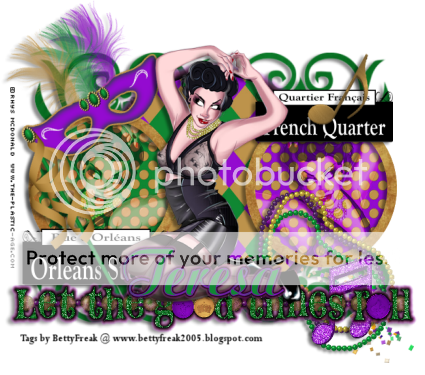 This tutorial was written by me, on Jan. 20th, 2010. This is my own creation Using kit Laissez Les Bon Temps Rouler by Randy's Sin. Please do not copy this tutorial in anyway.




 BettyFreakStyle@yahoo.com. If you have any ?'s or concerns, about any of my tutorials, please contact me.
Thank You
BettyFreakStyle@yahoo.com. If you have any ?'s or concerns, about any of my tutorials, please contact me.
Thank You


